Skip to content

Wood engraving seems simple. But uneven results frustrate beginners. I found a way to master it despite wood’s tricky nature.
CO2 laser engraving wood uses a focused beam to etch designs precisely. Adjust power (20-60W) and speed for wood type, cutting errors by 30% for clean results.

Hand tools can’t match laser precision. Wood’s variability causes issues. Keep reading to learn how to engrave wood like a pro with a CO2 laser.
What Is Laser Engraving for Wood?
Wood’s natural quirks confuse beginners. Inconsistent cuts or burns waste time. Understanding the process is key.
Laser engraving wood uses a CO2 laser to vaporize surface layers, creating precise designs. It works on softwoods, hardwoods, and plywood, with settings tailored to wood density.

At Redshift Laser, I helped a sign maker. Their hand-carved wood signs took hours. A CO2 laser cut production time by 50%.
The CO2 laser, typically 20-60W, burns wood at 0.1mm precision. Software like LightBurn guides the beam. My insight: wood varies. Softwoods like pine engrave at lower power; hardwoods like oak need more.
Wood Variability
Softwoods have resins that vaporize fast, risking burns. Hardwoods are denser, needing higher power. Plywood’s glue layers can char.
Equipment Basics
A 600x400mm bed holds most wood. Exhaust systems remove fumes. Test settings on scraps to avoid waste.
| Wood Type | Power | Speed | Result |
|---|---|---|---|
| Pine | 20W | 100mm/s | Light etch |
| Oak | 40W | 80mm/s | Deep cut |
| Plywood | 30W | 90mm/s | Clean design |
This table shows settings. I’ve seen beginners skip tests and ruin oak. Always test first.
For John, our purchasing manager, consistent wood sourcing ensures quality. Lasers handle wood’s quirks when set right.
Why Choose Laser Engraving for Wood?
Manual wood engraving is slow. It lacks precision. Beginners wonder if lasers are worth it.
CO2 laser engraving offers precision, speed, and versatility. It cuts designs in minutes, reduces waste by 25%, and handles intricate patterns on any wood type.

I worked with a furniture maker. Their manual engravings took days. A laser finished in hours, boosting orders.
Precision is top. Lasers etch at 0.1mm accuracy, perfect for detailed logos. Speed hits 100mm/s, five times faster than hand tools.
Waste Reduction
Lasers cut scrap by 25%. Manual methods waste 20% due to errors. This saves costs.
Versatility
From signs to furniture, lasers engrave any wood. Softwoods like cedar or hardwoods like walnut work well.
| Benefit | Manual Engraving | Laser Engraving |
|---|---|---|
| Precision | ±1mm | ±0.1mm |
| Speed | 20mm/s | 100mm/s |
| Waste | 20% | 5% |
| Design Complexity | Simple | Intricate |
This table shows why lasers win. A client’s signage business doubled profits in six months.
Safety improves—no blades, fewer injuries. HEPA filters catch fumes. Lasers use 1kW, saving energy.
For John, lasers mean reliable output. He sources quality wood for consistent results.
Choose lasers for fast, precise wood engraving.
Which CO2 Laser Machine Should You Pick?
Choosing a laser overwhelms beginners. Wrong picks waste money. The right machine fits your needs.
I recommend the Redshift RL-600 CO2 Laser, with 40W power, 600x400mm bed, auto-focus, and HEPA ventilation. It’s ideal for wood engraving up to 5mm.

John needed a laser for a client’s wood art. The RL-600 handled 3mm walnut flawlessly, saving time.
The 40W laser engraves softwoods at 20W and hardwoods at 40W. Auto-focus speeds setup. The bed fits most wood panels.
Key Features
RDWorks software is user-friendly. HEPA filters ensure safe air. A 2-year warranty adds reliability.
| Feature | RL-600 Spec | Why It Matters |
|---|---|---|
| Power | 40W | Engraves 1-5mm wood |
| Bed Size | 600x400mm | Fits standard panels |
| Auto-Focus | Quick setup | Saves 10 min/job |
| Ventilation | HEPA filter | Safe air |
| Warranty | 2 Years | Reliable support |
This table sums it up. The RL-600 engraves pine at 100mm/s. ROI hits in 8 months.
We offer demos. Test wood samples. Our US and China teams support setup.
For John, the RL-600 balances cost and quality. Ethical parts ensure trust.
Pick the RL-600 for wood engraving success.
How to Fast-Track from Setup to Perfect Wood Engraving?
Setting up a laser intimidates beginners. Wrong steps cause burns or weak engravings. A clear process helps.
Fast-track wood engraving by preparing wood (sand and mask), uploading designs, setting 20-40W power, using air assist, and inspecting results for clean cuts.

A client’s plywood signs burned. We sanded wood and adjusted power. Perfect engravings followed.
Sand wood to remove rough spots. Apply masking tape to prevent scorching. Upload designs via RDWorks. Set 20W for pine, 40W for oak.
Key Steps
Use 20psi air assist to avoid burns. Engrave at 80-100mm/s. Check for clean lines post-cut.
Material Prep
Moisture in wood causes flare-ups. Dry wood at 50°C for 2 hours. Test settings on scraps.
| Step | Action | Detail |
|---|---|---|
| Prep | Sand, mask | Prevents burns |
| Design | Upload file | RDWorks software |
| Power | 20-40W | Match wood type |
| Air Assist | 20psi | Clean cuts |
| Inspect | Check results | Ensure clarity |
This table outlines the process. I’ve seen beginners skip masking and regret it. Prep is critical.
For John, this ensures consistent output. He sources dry wood to avoid issues.
Follow these steps for perfect engravings fast.
How to Avoid Common Laser Engraving Wood Mishaps?
Wood’s variability trips up beginners. Burns, uneven cuts, or fumes ruin projects. Avoiding mistakes saves time.
Avoid mishaps by sanding wood, using masking tape, setting 20-40W power, adding air assist, and ensuring HEPA ventilation to prevent burns and fumes.
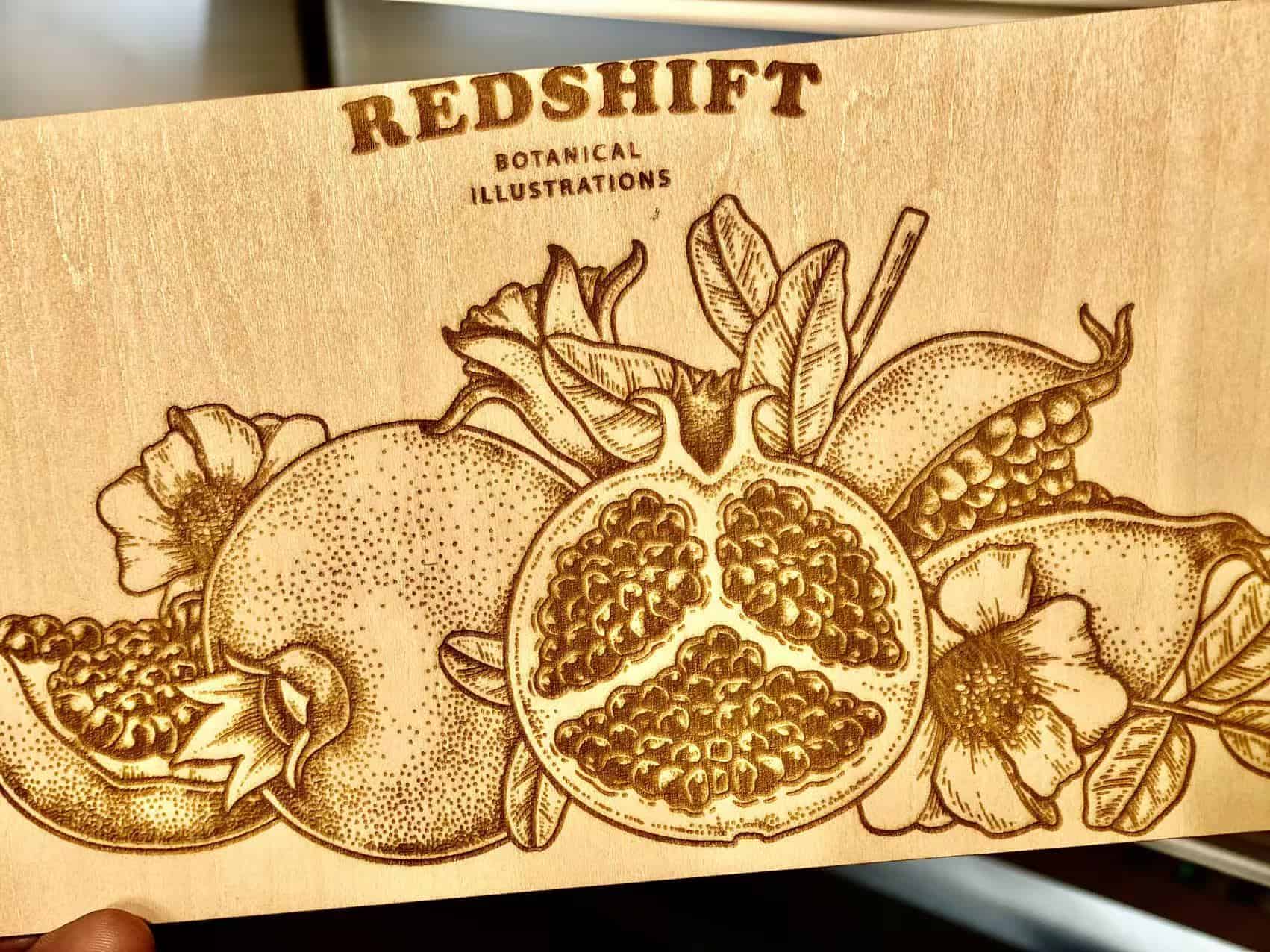
A client’s oak engravings scorched. Sanding and lower power fixed it in an hour.
Sand wood to smooth surfaces. Masking tape blocks residue. Set power low (20W for softwoods). Use 20psi air assist.
Ventilation and Testing
HEPA filters catch fumes. Wood smoke is toxic. Test settings on scraps to avoid ruining panels.
| Issue | Solution | Impact |
|---|---|---|
| Burns | Sand, mask, 20W | Clean engravings |
| Fumes | HEPA filter1 | Safe air |
| Uneven Cuts | Test settings | Zero waste |
| Scorching | Air assist2 | Clear designs |
This table lists fixes. I helped a client cut waste by 20% with masking. John ensures quality wood supply.
These steps prevent costly errors in wood engraving.
Conclusion
CO2 laser engraving wood offers precision and speed. Prep materials, choose the right machine, and avoid mishaps to create stunning, profitable wood designs.