Skip to content

Your new CO2 laser looks great, but it's not delivering. Production slows, costs rise, and you're left wondering what went wrong. I’ll show you how to avoid these mistakes.
Many businesses stumble by picking the wrong laser power for their needs. They also often overlook crucial after-sales support, prioritize a low initial price over long-term value, and skip essential safety training. These mistakes can lead to major operational headaches and unexpected expenses down the road.
I've been with Redshift Laser for five years, and in that time, I’ve seen many companies make purchasing decisions they later regret. It’s not about finding the cheapest machine; it's about finding the right machine for the long haul. A purchasing manager I work with, John, always says that the real cost of a machine isn't on the price tag. It's in the daily operation, the support, and the safety. Let's break down these common mistakes one by one so you can make a smart investment.
Are You Choosing the Right Power Level for Your Application?
That new laser is either crawling through cuts or charring your materials. It’s frustrating and expensive. Let’s make sure you get the right power for your specific application.
Choosing the correct power level is critical. Low power won't cut thick materials efficiently, while high power can scorch delicate items. You must match the wattage directly to your primary materials and task—whether it's cutting, engraving, or marking—to ensure optimal quality and speed.
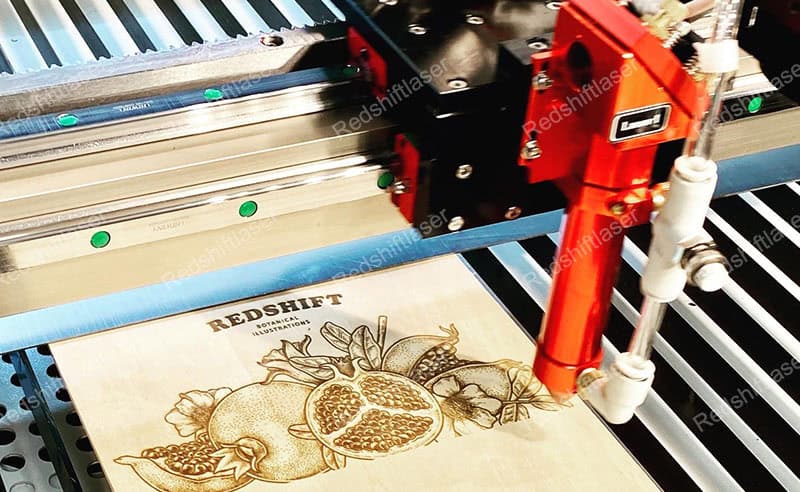
I often see businesses buy a high-wattage laser thinking "more is always better." Or they go for a low-wattage machine to save money, only to find it can't handle their workload. Both are costly errors. The key is to analyze your primary use case. Are you engraving thin acrylics or cutting thick plywood? The power you need changes dramatically based on the material and its thickness. I remember a client who bought a 130W laser to engrave small logos on leather. The power was too high, and they struggled with burn marks until we helped them dial in the settings. They could have used a 60W machine and saved money upfront.
Material and Task Analysis
Before you even look at a machine, list your jobs.
- For Engraving: Lower power (40W-60W) gives you finer detail and control.
- For Cutting: Higher power (80W-150W+) is needed for speed and thickness.
Here is a simple table to guide you:
| Power (Watts) | Best For | Material Examples |
|---|---|---|
| 40W - 60W | Detailed Engraving, Cutting thin materials (<6mm) | Paper, fabric, thin acrylic, leather |
| 80W - 100W | General purpose Cutting & Engraving, moderate thickness | Thicker acrylics (up to 12mm), wood, plastics |
| 130W - 150W+ | High-speed or thick material cutting (>12mm) | Thick wood, dense plastics, industrial parts |
Thinking about this first will save you from major headaches later.
Have You Checked the After-Sales Service and Technical Support?
Your machine is down, and production has stopped. You call for support, but nobody answers, or the person on the line can't help. Every minute of downtime costs you money.
Excellent after-sales service is not a bonus; it's a necessity. Quick technical support, available spare parts, and knowledgeable technicians can mean the difference between a few hours of downtime and a few weeks. Always verify a supplier's support structure before you purchase the machine.
A few years ago, a new customer came to us in a panic. Their two-month-old laser from another brand was down, and their original supplier was unreachable. They were losing a big contract. We were able to help them, but the experience taught them a valuable lesson. A low price means nothing when your machine is a useless box of metal. John, the purchasing manager I mentioned, once told me he ranks support above almost everything else. He knows that a reliable partner who picks up the phone is worth more than any upfront discount.
Evaluating Supplier Support
You need to ask direct questions before you buy. Don’t be shy.
- What are your support hours? Are they in your time zone?
- How do I get help? Is it through phone, email, or a ticketing system?
- Where are spare parts shipped from? Long shipping times can cripple your operations.
- Do you offer on-site support? For major issues, this can be a lifesaver.
Here’s what to look for in a good support plan:
| Support Feature | Red Flag | Green Flag |
|---|---|---|
| Response Time | Vague promises like "we'll get back to you" | Guaranteed response within a few hours |
| Technician Skill | Support staff read from a script | Experienced technicians who can diagnose complex issues |
| Parts Availability | Parts ship from overseas with long lead times | A local or regional warehouse with common parts stocked |
| Warranty | Unclear terms, lots of exceptions | A clear, comprehensive warranty for at least one year |
A strong support system is your insurance policy. Make sure it's solid.
Are You Prioritizing Price Over Long-Term Value?
You found a laser at a fantastic price. It seems like a great deal, but soon you're paying for constant repairs, replacement parts, and wasted materials. That "bargain" is now costing you more.
Focusing only on the initial purchase price is a classic mistake. The total cost of ownership includes maintenance, consumables like laser tubes, downtime, and operational efficiency. A cheaper machine can easily become more expensive over its lifespan if it's unreliable or inefficient.
I had a client who bought a very cheap machine online. The price was almost too good to be true, and it was. The laser tube died in three months, half the expected lifespan. The replacement was expensive and difficult to source. In the end, they spent more in the first year than if they had bought a slightly more expensive but reliable machine from us. It’s like buying a cheap car. The low sticker price is attractive, but the constant trips to the mechanic will drain your wallet. Quality components, like the laser tube, power supply, and guide rails, make a huge difference in performance and longevity.
Calculating Total Cost of Ownership (TCO)
Look beyond the sticker price. A quality machine pays for itself.
- Component Lifespan: Ask about the expected life of the laser tube and other key parts. A RECI or EFR tube lasts longer than a generic one.
- Efficiency: A well-built machine cuts faster and more accurately, meaning less wasted material and more output per hour.
- Reliability: Fewer breakdowns mean more uptime and consistent production.
Consider these factors over a 3-year period:
| Cost Factor | Cheap Machine Example | Quality Machine Example |
|---|---|---|
| Initial Price | $4,000 | $6,000 |
| Laser Tube Replacement | 2 tubes @ $500 each | 1 tube @ $700 |
| Estimated Downtime Cost | $1,500 | $300 |
| Total 3-Year Cost | $6,500 | $7,000 |
The costs appear close, but this calculation doesn't even include the stress, missed deadlines, or potentially lower-quality output from the cheaper machine. A quality investment provides peace of mind and better results.
Did You Consider Safety Standards and Operator Training?
You have a new laser running, but your team doesn't know the safety rules. An accident happens, causing injury and stopping production. Now you face investigations, fines, and a damaged reputation.
Laser safety is not optional. CO2 lasers are powerful tools that can cause serious eye damage, skin burns, and fire. Ensuring the machine meets safety standards and providing comprehensive operator training is essential to protect your team and your business from accidents.
This is the one that worries me the most. I once visited a workshop where the operators had disabled the safety interlocks on the machine's lid to save a few seconds per job. They had no idea that invisible CO2 laser radiation could permanently blind them. We immediately stopped them and provided a full safety training session. A good supplier doesn’t just sell you a machine; they ensure you can use it safely. This includes making sure the machine itself has features like safety interlocks, emergency stop buttons, and proper enclosures. John's company in the USA has strict safety protocols, and a machine won’t even enter his facility if it isn't certified.
Building a Safe Laser Environment
Safety is a combination of machine features and human behavior.
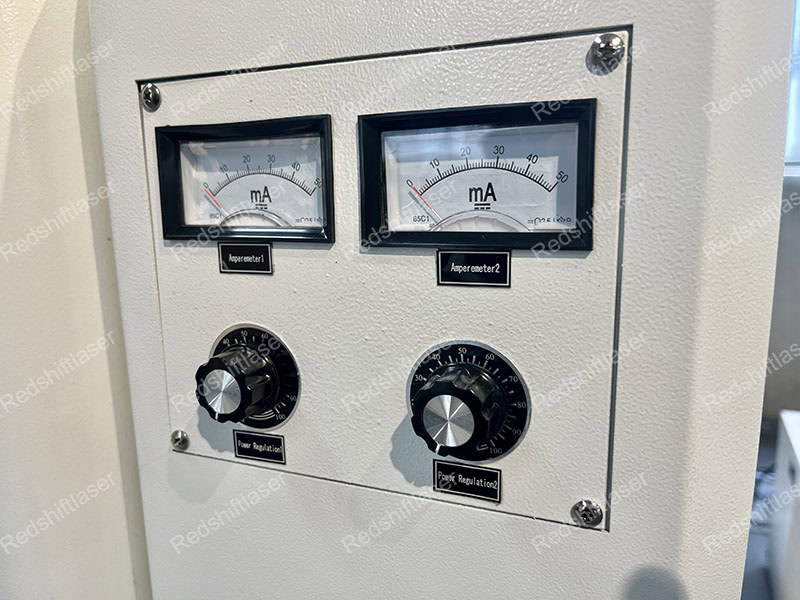
- Machine Safety: Look for Class 1 enclosures, which mean the laser is fully contained during operation. Ensure it has CE or FDA certification.
- Operator Training: Training should cover more than just how to press "start." It needs to include risks, emergency procedures, and routine safety checks.
Your safety checklist should include:
| Safety Area | Key Actions |
|---|---|
| Machine Features | Verify safety interlocks on all access doors. Confirm there's a clearly marked emergency stop button. |
| Operator Gear | Provide proper safety glasses (rated for CO2 laser wavelength) for every person in the area. |
| Environment | Have a fire extinguisher rated for electrical fires (Class C) nearby. Ensure proper ventilation. |
| Training | Implement a formal training program and certification for all operators. Put up clear warning signs. |
Protecting your team is your first responsibility. A safe operation is an efficient and sustainable one.
Conclusion
Avoiding these four mistakes—matching power to the job, verifying support, looking at long-term value, and prioritizing safety—will help you purchase a CO2 laser that serves your business well for years.