Skip to content

You've just invested in a top-of-the-line laser marking machine. You were sold on its high wattage and incredible speed, expecting flawless results. But now, your production is a mess. The marks on pine are low-contrast and sooty, while the engravings on oak are uneven. You're fiddling with the settings endlessly, wasting expensive material and time. You start to wonder if you bought the wrong machine.
The secret to perfect laser wood marking isn't found in the machine's specifications, but in mastering the material itself. Success comes from treating wood not as a passive canvas, but as a reactive chemical substrate. The operator's main skill is understanding the unique thermal properties of each wood species—like resin content and grain density—and adapting the laser's energy to work with the material, not against it.

I've seen this happen dozens of times. A client calls me, frustrated that their brand-new, powerful laser is producing terrible marks on a batch of pine. They tell me they've cranked up the power, but it only makes things worse. I always ask them to look at the machine's lens. Sure enough, it's covered in a sticky, yellow film. The powerful laser was just boiling the resin in the pine, which then condensed on the cold lens, blocking the beam. They didn't need more power; they needed a different strategy for a difficult material.
What is Laser Marking on Wood, Anyway?
You're using traditional methods like ink stamping or hot branding to put logos on your wooden products. The ink smudges and fades, and creating new stamps is expensive and slow. Hot branding is imprecise and offers no detail. You're stuck with low-quality marks that cheapen your product, and you know there has to be a better, more professional way to do it.
Laser marking on wood is a non-contact process that uses a focused beam of light (typically from a CO₂ laser) to create a permanent, high-contrast mark on the wood's surface. Unlike printing, the mark is permanent and won't fade. Unlike engraving, the goal isn't significant depth, but a clean, dark mark created by the carbonization (charring) of the wood fibers. It turns a digital design into a crisp, physical mark in seconds.
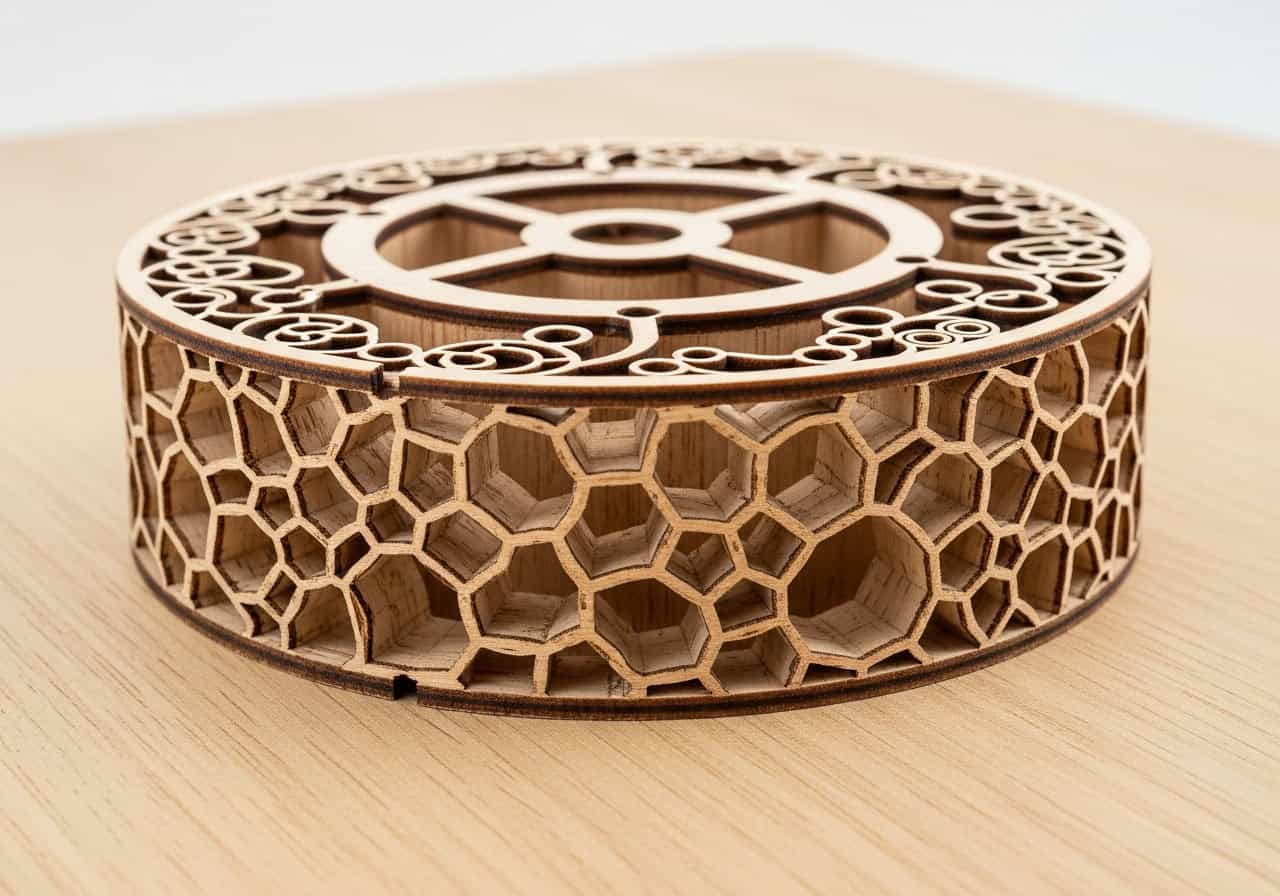
Understanding what happens at the microscopic level helps you control the final result. It's not just burning; it's a controlled thermal reaction.
1. The Principle of Laser Marking Machines
A CO₂ laser machine generates an intense beam of infrared light at a 10.6-micrometer wavelength, which is highly absorbed by the organic material in wood. The machine's computer guides this beam using a series of mirrors. When the focused beam hits the wood, its energy is instantly converted to heat, causing the surface fibers to rapidly carbonize. This process, also known as charring, creates the dark, durable mark.
2. Marking vs. Engraving: What's the Difference?
While the terms are often used interchangeably, there is a technical difference. Marking is primarily a surface-level thermal reaction to change its color. Engraving is about physically removing material to create depth. With wood, laser marking is a form of light engraving, as some material is vaporized, but the main aesthetic goal is the dark, high-contrast mark from the charring, not the depth itself.
3. Common Industrial Uses
Laser marking is a workhorse in many industries for adding permanent information to wood products. This includes:
- Branding: Company logos on products, promotional items, and packaging.
- Traceability: Serial numbers, batch codes, and QR codes on wooden parts.
- Personalization: Custom names and designs on consumer goods.
- Compliance: Adding safety warnings or certification marks.
How Does It Compare to Traditional Engraving Techniques?
Your production line is slowed down by outdated marking methods. CNC routing is messy and tool bits wear down, causing inconsistent results. Hot branding is slow to heat up and can't produce detailed logos. You're dealing with high consumables costs, significant downtime for setup, and a final product that lacks the premium look your customers expect.
Compared to traditional methods, laser marking is superior in speed, precision, and versatility. As a digital, non-contact process, it has zero tool wear and can switch between complex designs instantly. It produces perfectly clean, crisp marks with no consumables like ink and no need for custom dies or bits. This results in higher throughput, lower operational costs, and a consistently higher-quality finish.

For a purchasing manager focused on ROI, the advantages of laser technology are clear when you break down the operational realities of each method.
1. Speed and Precision
accuracy, marking complex logos in seconds. A CNC router is a mechanical device that must physically move a cutting tool, making it much slower for fine details. Hot branding is a clumsy process that relies on pressure and often results in blurry edges.
2. Consumables and Maintenance
Laser marking is a non-contact process, which means there are no tool bits to wear out and replace like with a CNC router. There is no ink to refill or custom-made metal stamps to order as with printing or branding. The only real consumable is electricity, and maintenance is typically limited to simple lens cleaning.
3. A Clear Comparison
Here’s how the technologies stack up in a production environment:
| Feature | Laser Marking | CNC Routing | Hot Stamping/Branding |
|---|---|---|---|
| Setup Time | Near-Zero (software) | Moderate (tooling/positioning) | Long (heating/die change) |
| Precision | Extremely High | High | Low to Medium |
| Consumables | None | Router Bits | Dies, Foils (for stamping) |
| Versatility | Excellent (any design) | Good (depth control) | Poor (one fixed design) |
| Wear & Tear | Minimal (non-contact) | High on bits & spindles | Low on heater, dies wear |
| Cleanliness | Minimal smoke (extracted) | High (sawdust) | Some smoke/odor |
What are the Main Advantages of Laser Marking Machines?
You're trying to scale your business, but your current marking process is a bottleneck. It's slow, requires skilled operators, and produces inconsistent quality, leading to a high rate of rejected products. These inefficiencies are eating into your profit margins and preventing you from taking on larger, more lucrative contracts. It feels like you're stuck.
The primary advantages of laser marking machines are their unmatched efficiency, consistency, and flexibility. By automating the marking process with digital precision, they drastically reduce labor costs and human error. Lasers deliver a perfect, repeatable mark every time, increasing yield and product value. Their versatility to handle any design without retooling allows businesses to adapt quickly to customer demands, creating a huge competitive advantage.

These advantages translate directly into measurable benefits for a manufacturing business.
1. Permanent and High-Quality Finish
A laser mark is not ink on a surface; it's a permanent physical change to the wood itself. It cannot be smudged, peeled, or washed off. This permanence, combined with the high-resolution detail, communicates a level of quality that enhances the perceived value of the product, allowing for better profit margins.
2. Unmatched Flexibility
With a laser, you can go from marking a simple part number to a complex photographic image with a single mouse click. This means you can easily offer product personalization, create limited editions, or update branding without any physical tooling changes. This agility is impossible to achieve with methods that rely on physical dies or stamps.
3. Lower Operational Costs
While the initial investment in a laser machine can be higher than a simple branding iron, the total cost of ownership is significantly lower. There are no consumable inks or bits to buy. Labor costs are reduced because the process is highly automated. And because the rejection rate plummets due to high consistency, you waste far less material and time.
How to Choose the Right CO₂ Laser for Wood Marking?
You're ready to invest in a laser, but you're overwhelmed by the options. Sales reps are throwing terms at you like wattage, focal length, and cooling systems. You're worried about spending too much on a machine with features you don't need, or worse, buying a machine that is underpowered and can't keep up with your production demands.
Choosing the right CO₂ laser involves matching the machine's power and features to your specific application. Don't just chase the highest wattage. For basic marking on most woods, a 30-50 watt laser is often sufficient and more controllable. Higher power is needed for faster speeds or for marking very dense hardwoods. Key factors to consider are the types of wood you'll use, your required production speed, and the complexity of your designs.

As I always tell my clients, buy the machine you need, not just the most powerful one.
1. Wattage: It's About Control, Not Just Power
A common mistake is thinking more power is always better. High wattage allows for faster marking speeds, which is great for high-volume production. However, for sensitive woods with high resin content like pine, too much power is difficult to control and can easily scorch the material. A lower-wattage laser (30W-60W) often provides a wider "sweet spot" in its settings, giving you finer control for a cleaner mark. For dense hardwoods like oak or for very high-speed assembly lines, a higher wattage (80W-100W+) may be necessary.
2. Work Area and Focal Length
The size of your machine's bed should accommodate the largest wooden part you plan to mark. The focal length of the lens is also crucial. A shorter focal length lens produces a smaller, more focused spot, which is ideal for extremely fine, high-resolution details. A longer focal length lens offers a larger working area and a more forgiving depth of focus, which is better for marking uneven surfaces or larger, less detailed logos.
3. Cooling and Air Assist Systems
A laser tube generates a lot of heat and requires an active cooling system1 (usually water-based) to operate reliably. Ensure the cooling system is robust enough for your climate and expected workload. Just as important is the air assist system2. A good machine will have an integrated air compressor or a port for one. As we discussed, this is non-negotiable for clean wood marking, as it prevents flare-ups and keeps the lens clean.
Conclusion
The journey to mastering laser wood marking begins with a shift in perspective. Instead of focusing solely on the machine's technical specifications, we must respect the wood itself as an active participant in the process. True quality comes from understanding that pine is not maple, and oak is not basswood. By learning to read the material and adapt our technique—adjusting for resin, density, and grain—we unlock the laser's true potential. This process-oriented approach, which values operator skill as much as machine power, is the secret to moving beyond inconsistent results and achieving a repeatable, efficient, and profitable manufacturing operation.
FAQs
Q1: My laser has high wattage, but my marks on pine are blurry and sooty. Why?
A: This is a classic case of overpowering a resinous wood. High power boils the pine's resin, which creates soot and condenses on your lens, reducing the beam's effectiveness. Lower your power, increase your speed, and make sure your air assist is running strong to get a cleaner mark.
Q2: Why do my engravings look striped and uneven on oak?
A: Oak has a very inconsistent grain structure with hard winter growth rings and soft summer rings. The laser reacts differently to these densities, engraving deeper on the soft parts and lighter on the hard parts. This isn't a machine fault; it's a characteristic of the wood that requires careful power modulation.
Q3: What's the practical difference between 'marking' and 'engraving' on wood?
A: In practice, they are very similar on wood. Technically, marking is changing the surface color, while engraving is removing material for depth. Laser marking on wood achieves its dark color (the mark) by vaporizing and charring the surface (a light engraving). The goal for most projects is a clean, dark mark, not significant depth.
Q4: How often should I clean my laser's lens when working with wood?
A: Much more often than you think. For resinous woods like pine, you should inspect and clean the lens after every few hours of operation. For hardwoods, a daily check is a good habit. A hazy lens is the number one cause of power loss and inconsistent results.
Q5: Is a 100W laser always better than a 50W laser for wood?
A: Not at all. Higher wattage allows for faster marking, which is good for high volume. However, a 50W laser often provides better control and a wider settings range for achieving delicate, clean marks on various woods without scorching them. Control is often more important than raw power.
Q6: What does "air assist" actually do for wood marking?
A: It's critical. Air assist directs a jet of air at the marking point, doing two things: 1) It blows away smoke and debris, allowing the laser to maintain a clear path to the wood. 2) It extinguishes the small embers, preventing excessive charring and flare-ups, which results in a much cleaner, sharper mark.
Q7: Can I use the same laser settings for cherry and maple?
A: No, you should never assume settings are transferable between wood species. Even two different boards of the same species can react differently. Always run a small test grid on a scrap piece of your new material to find the optimal power and speed settings before starting a big job.
Q8: Besides a dirty lens, what else causes a sudden drop in marking quality?
A: The most common culprit is a change in the wood's moisture content. Wood from a new, slightly damper batch will require more energy to mark effectively. This is another reason why treating wood as a reactive variable, not a static canvas, is so important for consistency.
Q9: What are the best types of wood for a beginner to get consistent results?
A: Start with light-colored, tight-grained hardwoods with low, evenly distributed resin content. Woods like Alder and Basswood are very forgiving and popular for this reason. They have a uniform density that allows them to char very predictably, making it easy to get great results.
Q10: Is laser marking really cheaper than using CNC routers or ink stamps in the long run?
A: Yes, the total cost of ownership is significantly lower. Lasers have no physical tool bits to wear out and replace like a CNC, and they use no consumables like ink or custom-ordered dies. The reduction in labor, setup time, and rejected parts leads to major long-term savings.