Skip to content

As a woodworker, you already know a CO₂ laser is a powerhouse for cutting intricate shapes and engraving crisp logos. But its true potential lies beyond the obvious. By pairing precision technology with creative thinking, you can unlock applications that add deep personalization, surprising functionality, and unique artistic flair to your projects, setting your work apart.
Here are seven unexpected ways a laser cutter and engraver can enhance your woodworking craft.
1. Engrave Heirloom Recipes on Cutting Boards
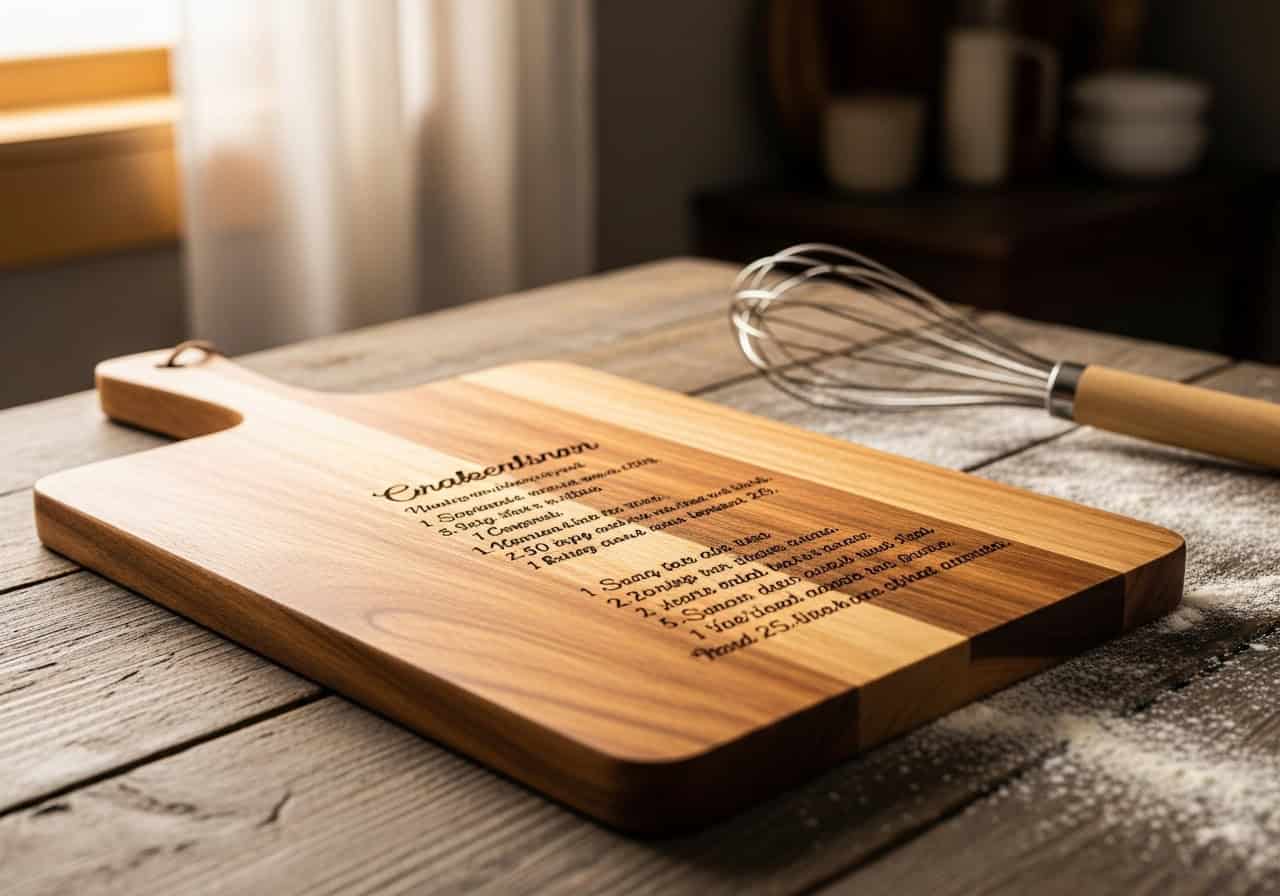
Transform a simple kitchen cutting board into a priceless family heirloom. By scanning a loved one's handwritten recipe card, you can engrave the original script directly onto the wood, preserving it forever as a functional piece of art. This is a powerful way to add sentimental value and create a product that tells a story.
Pro Tip: Use a high-resolution scan (at least 300 DPI) and convert it to a clean black-and-white vector or bitmap image for the sharpest, most accurate engraving result.
2. Craft 3D Interactive Wooden Travel Maps
Move beyond flat wall art by creating a multi-layered, interactive map. Laser-cut continents from a thin sheet of plywood and mount them on a stained backerboard to create a stunning 3D effect. Engrave geographical details, then invite users to mark their travels with custom-made map pins, turning a decorative piece into a dynamic record of their adventures.

3. Personalize Benches and Outdoor Furniture
Give public or private seating a permanent, personal touch. Laser engraving is perfect for adding dedications, quotes, or memorial information onto wooden park benches and garden furniture. The precision allows for elegant fonts and detailed logos that would be difficult to achieve by hand, turning a simple piece of furniture into a lasting tribute.
Pro Tip: For outdoor projects, use a deep engraving setting and finish with a quality UV-protectant wood sealer to ensure the design withstands the elements for years to come.

4. Design Intricate, Interlocking Wood Puzzles
Leverage your laser's precision to design and cut complex, custom jigsaw puzzles. This can range from educational puzzles for children to mind-bending challenges for adults, or even brand-centric puzzles for corporate gifts. The laser's fine kerf (the width of the cut) ensures a perfect, snug fit for every piece.

5. Create Shadow-Casting Geometric Lampshades
Blend woodworking with interior design by fabricating unique lampshades. By laser cutting intricate geometric patterns or natural motifs into thin plywood or veneer, you can construct pendant lights that cast beautiful, complex shadows on the walls and ceiling. This technique turns a simple light source into a captivating art installation.

6. Assemble Flat-Pack 3D Wall Trophies
Offer a modern, ethical alternative to traditional taxidermy with flat-pack 3D animal heads. Design a series of slotted, interlocking pieces from plywood that can be assembled by the end-user into a stylish T-Rex, stag, or elephant head. This project is not only creatively satisfying but also ships efficiently, making it a great product for an online store.

7. Fabricate Custom Garden and Plant Markers
Elevate the common garden stake1 into a beautifully crafted accessory. Engrave plant names in elegant typography, add care symbols, or even cut the stakes into unique shapes that reflect the plant itself. These durable and charming markers add a touch of professional polish and personality to any garden or nursery.

Conclusion
Your CO₂ laser is more than just a tool for cutting and engraving; it's a gateway to innovation. These seven ideas are just the beginning. The next time you approach a project, think beyond the surface and consider how you can integrate scoring, deep engraving, or intricate cutouts to add layers of meaning and functionality. Don't be afraid to experiment—your most surprising and successful creation might be just one creative idea away.
Frequently Asked Questions (FAQ)
1. Q: What is the best type of wood to use for these laser projects?
A: For fine cutting and engraving, plywoods like Baltic Birch or Basswood work exceptionally well due to their uniform texture. For engraving, solid woods like Cherry, Maple, and Alder produce rich, high-contrast results. Try to avoid highly resinous woods, as they can cause uneven burning.
2. Q: How do I transfer a handwritten recipe onto wood for laser engraving?
A: First, digitize the recipe using a scanner or a high-quality photo (at least 300 DPI). Then, clean up the image in an editing program (like Photoshop or the free GIMP) and convert it to a pure black-and-white bitmap file. Finally, import that file into your laser software for engraving.
3. Q: Are laser-engraved cutting boards food-safe?
A: The wood itself is food-safe, but the engraved grooves can trap food particles. To ensure safety, it's best to seal the board after engraving with a food-grade mineral oil or beeswax conditioner. Also, ensure it's cleaned and dried thoroughly after each use.
4. Q: How thick can a CO₂ laser cut for projects like puzzles or lampshades?
A: It depends on your laser's power. A typical hobbyist 40W-60W laser can cleanly cut 1/8" to 1/4" (3mm to 6mm) plywood or solid wood. More powerful machines (100W+) can cut 3/8" (10mm) or thicker, but it may require multiple passes or a slower speed.
5. Q: Do I need special software to design these projects?
A: Yes, you will need vector design software. Common professional options include Adobe Illustrator and CorelDRAW. There are also powerful free alternatives like Inkscape. You use these tools to create the precise cutting paths and engraving patterns the laser follows.
6. Q: How do I protect laser-engraved wood for outdoor use (like garden markers or benches)?
A: To protect against weather and UV rays, a proper seal is essential. After engraving, apply several coats of a high-quality exterior wood varnish or a marine-grade spar urethane. Make sure to cover all cut edges and engraved areas thoroughly.
7. Q: Does the laser create the 3D effect of the map directly?
A: The laser excels at accurately cutting the 2D components (like continents and backer boards). The 3D effect is achieved manually by layering, gluing, and assembling these precisely cut wooden pieces.
8. Q: What's the difference between vector cutting and raster engraving?
A: In simple terms, vector cutting is when the laser head follows a continuous line to cut through the material, like drawing with a pen. This is used for puzzles and lampshade outlines. Raster engraving is when the laser head moves back and forth, firing the laser dot by dot to fill an area, much like an inkjet printer. This is used for engraving recipes and photos.
9. Q: Where can I find design files for projects like 3D animal heads or lampshades?
A: You can find free or paid design files on many online platforms. Websites like Etsy are full of designers selling files specifically for laser cutting. You can also find free resources on sites like Thingiverse or in various online laser communities, or learn to create your own.
10. Q: Is there a good market for these types of laser-cut wood products?
A: Absolutely. The key to these products is personalization and uniqueness. An engraved heirloom cutting board or a custom travel map has a much higher perceived value than a generic wooden item. They make extremely popular gifts and home decor, offering excellent potential for a profitable business.
Relate
-
Explore innovative designs for garden stakes that can enhance your garden's aesthetic and functionality. ↩